
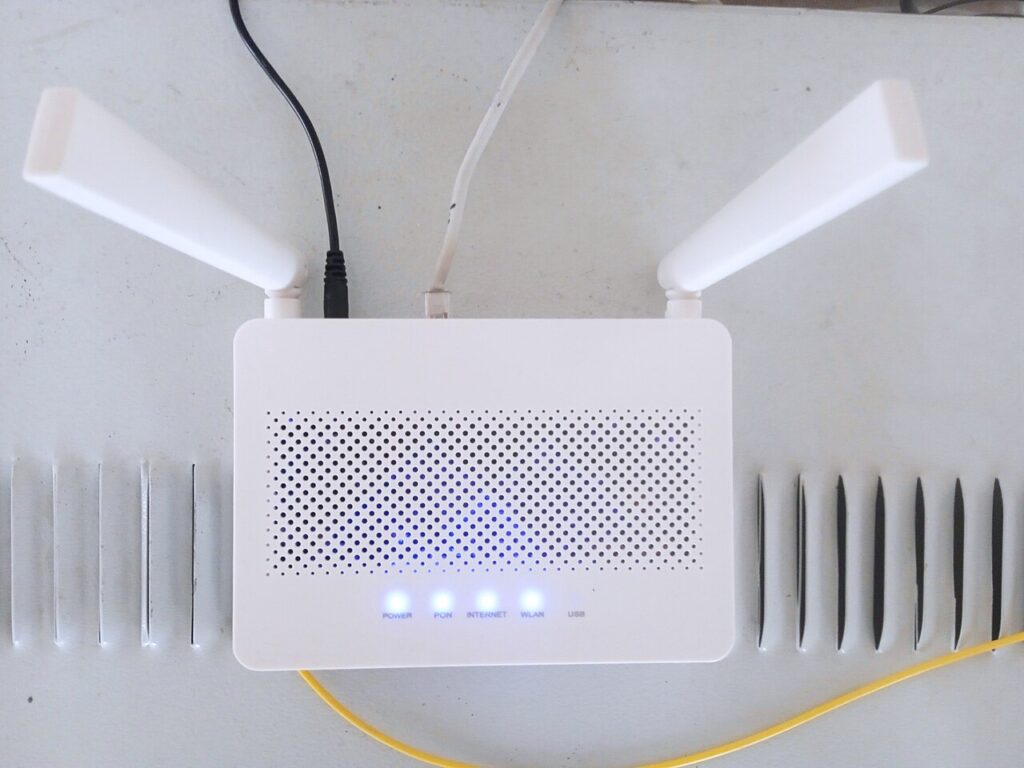
Wireless networks carry much of modern life, and every network is only as strong as the security settings protecting it. A weak password, an outdated encryption standard or a misconfigured router can leave a network open to anyone within radio range. That is why security professionals regularly audit wireless networks: to find weaknesses first and fix them before someone with bad intentions discovers them.
One of the best-known tools for this kind of work is Airgeddon, a free and open-source utility built specifically for auditing Wi-Fi networks. Rather than being a single-purpose program, it brings many well-known wireless testing techniques together in one menu-driven interface, which makes structured security assessments far easier to plan, run and document. This guide explains what the tool is, what it does, its key features, what it needs to run, and why penetration testers rely on it during authorised security assessments.
What Is Airgeddon?
Airgeddon is a multi-use bash script for Linux systems, designed to audit wireless networks. It was created to solve a practical problem: wireless security testing traditionally involves juggling a long list of separate command-line tools, each with its own syntax, options and quirks. Testers had to remember complex commands, switch between utilities, and manually keep track of what they had already tried. Airgeddon wraps those underlying tools in a single, organised workflow with clear menus, guided options and helpful checks along the way.
The project is open source and actively maintained, with contributors who add new techniques and keep it compatible with current Linux distributions. As a script rather than a compiled program, it is lightweight and simple to update. It is widely used in training courses and professional assessments alike — always with the condition that it should only be run against networks you own or have explicit written permission to test.
Key Features
Airgeddon stands out for the breadth of wireless auditing functions it brings together. Its main features include:
- A guided, menu-driven interface that checks for required dependencies and helps configure the wireless interface, including switching it into monitor mode.
- Support for auditing both 2.4 GHz and 5 GHz bands, with options to explore and map nearby networks and their connected clients.
- Tools for testing the strength of Wi-Fi passwords, including capturing the authentication handshake data that allows offline password-strength testing in a lab.
- Assessments of WPS (Wi-Fi Protected Setup) configurations, a feature on many routers that is known to be a common weak point when left enabled.
- Enterprise network auditing options, aimed at the more complex authentication systems used by larger organisations.
- Simulated access point scenarios used in controlled training environments to teach staff how rogue networks and social engineering attacks work, so defences can be improved.
- Offline password auditing helpers, personalisable settings, automatic updates, and support for several languages.
Together, these features mean a tester can move from initial reconnaissance through to detailed checks without leaving the same consistent environment.
What Airgeddon Is Used For
In professional hands, Airgeddon is a defensive tool. Penetration testers hired to assess an organisation will use it to answer questions such as: How strong are our Wi-Fi passwords? Is WPS switched on anywhere? Are there old devices still using weak encryption? Would our network stand up to the same techniques that attackers are known to use?
It is also popular in education. Cybersecurity students use it in isolated lab environments, with their own routers set aside for practice, to learn how wireless protocols work and where their weaknesses lie. Home users with technical skills sometimes run it against their own equipment to confirm their router is sensibly configured. In every legitimate case, the pattern is the same: test, learn, and then strengthen the configuration — for example by choosing long, unique passwords, enabling modern WPA3 or WPA2-AES encryption, disabling WPS, and keeping router firmware up to date.
Requirements and Getting Started
Airgeddon runs on Linux and is included in, or easily added to, security-focused distributions such as Kali Linux, Parrot OS and similar platforms. Because it coordinates other utilities, those underlying tools must be installed; the script checks for them on launch and reports anything that is missing. It can also run inside Docker, which is a convenient option on supported systems.
The most important hardware requirement is a compatible wireless network adapter. Auditing requires the adapter and its driver to support monitor mode and packet injection, and not all built-in laptop Wi-Fi cards do. Many testers therefore use a well-regarded USB adapter known to work with Linux. A reasonably modern computer with sufficient memory is enough otherwise. As with any security tool, users should download it only from the project’s official sources and keep it updated.
Benefits for Penetration Testers
For penetration testers, the biggest benefit is efficiency. A single interface replaces a pocketful of separate commands, reducing errors and making assessments more consistent between team members. The guided menus lower the learning curve for junior testers, while experienced users appreciate the time saved on routine setup tasks such as preparing the wireless interface.
Airgeddon also encourages thoroughness. Because so many audit techniques are available in one place, testers are more likely to check a network completely rather than stopping after the first test. Better coverage means more accurate reports, and more accurate reports mean organisations can prioritise the fixes that matter — replacing weak passwords, retiring outdated hardware and correcting configuration mistakes.
Frequently Asked Questions
Is Airgeddon free? Yes. It is an open-source project, free to download and use, and its code can be inspected by anyone.
Is it legal to use? Using it on your own networks, or on networks you have explicit written authorisation to test, is a normal part of security work. Testing networks that are not yours, without permission, is illegal in most countries.
Does it work on Windows? It is built for Linux. Windows users typically run it inside a Linux virtual machine or a compatible environment such as Docker, with a supported external Wi-Fi adapter passed through.
Do I need a special Wi-Fi adapter? Usually, yes. The adapter must support monitor mode and packet injection under Linux, which many internal cards do not.
Conclusion
Wireless security is not something that can be assumed; it has to be checked. Airgeddon has earned its reputation by making those checks organised, thorough and accessible, combining many established auditing techniques into one open-source tool that serves students, home users and professional penetration testers alike. Used responsibly and with permission, it helps find the weak passwords, legacy settings and configuration errors that put networks at risk, so they can be fixed in good time. To learn more about the project, its documentation and its community, visit airgeddon.com — and remember that the strongest Wi-Fi network is the one that has actually been tested.
